Find my next match and tournament results
Check match times, results, the bracket, and standings in Bracket as a player or spectator.
Find your match
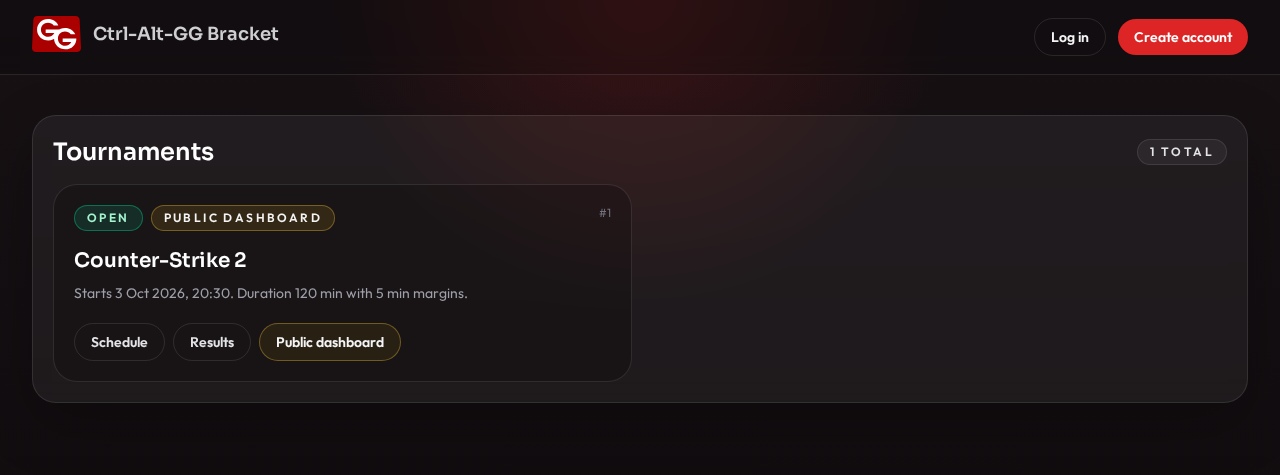
- Open Bracket and find the tournament. When logged out, the home page lists open tournaments.
- Click Schedule on the tournament card. Look for your team, opponent, time, and court assignment. A court represents a playing area or station in the tournament; confirm its physical location with the organizers.
- The tournament’s Overview page shows current and upcoming matches under Playing now and Coming up next.
- If your match has no time or court yet, ask the organizers. An empty schedule does not necessarily mean your entry is missing: the draw or scheduling may not be ready yet.
Check the time again before you play, as delays may change it. Bracket displays the schedule; it does not automatically connect you to a game server.
Results and progression
- Results: recorded match scores. If your match has finished but no result appears, the organizer may not have saved it yet.
- Public dashboard > Bracket: the bracket, or group matches and tables. Use this to follow progression through an elimination stage.
- Public dashboard > Standings: overall team wins, draws, and losses. Confirm detailed qualification rules and tiebreakers with the organizers.
- Public dashboard > Courts: matches arranged by court.
Public dashboard is only available when sharing is configured and enabled. If it is missing or the link fails, ask the organizers for the correct address. You can still check the separate Schedule and Results links.
Put it on a shared display
Open an enabled Public dashboard, then select Big screen. For court assignments, use Courts.
A result is wrong
Note the tournament name, both teams, the round, and the correct score, then tell an organizer.